
Cyberduck#
Quick Reference Cheat Sheet#
Download the Cyberduck Quick Reference Cheat Sheet PDF.
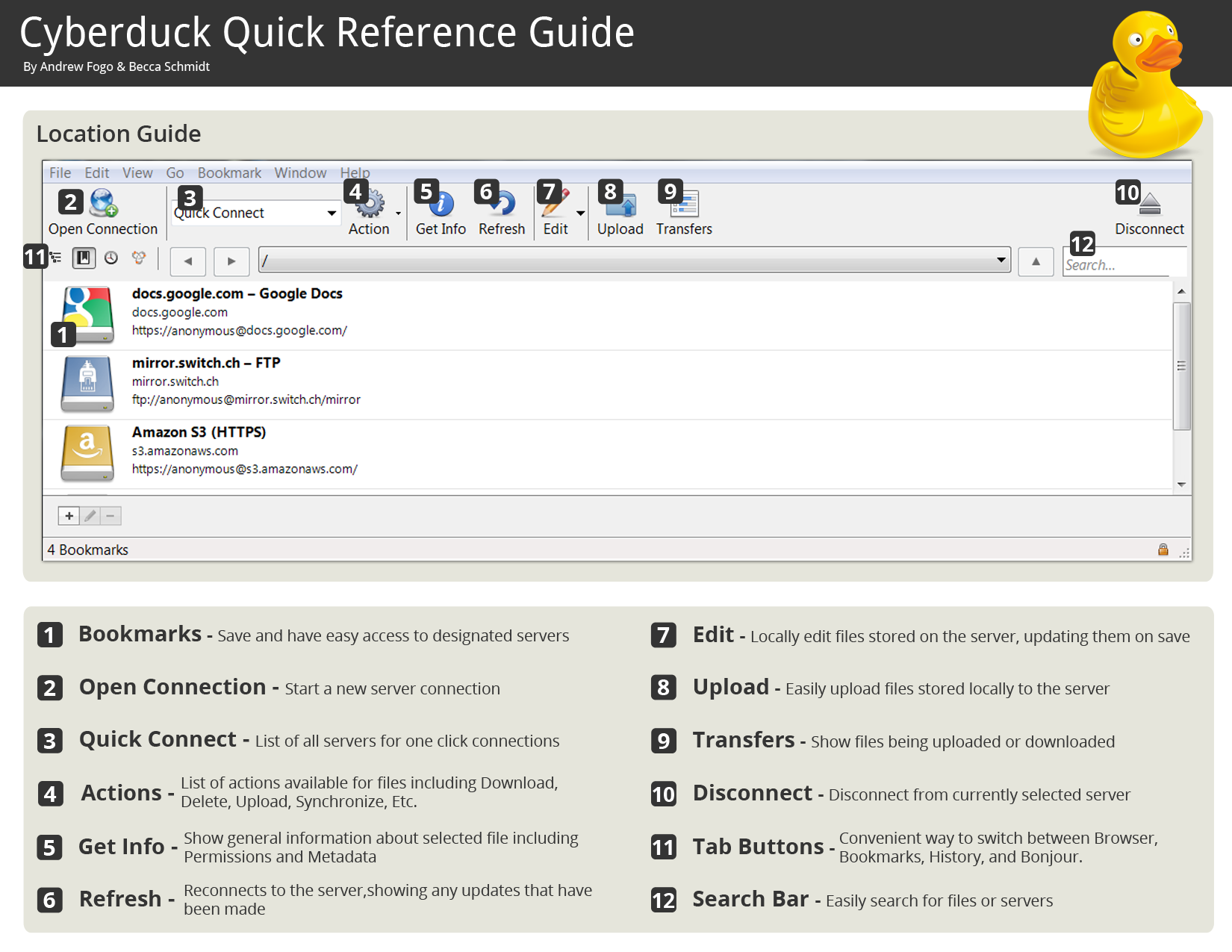
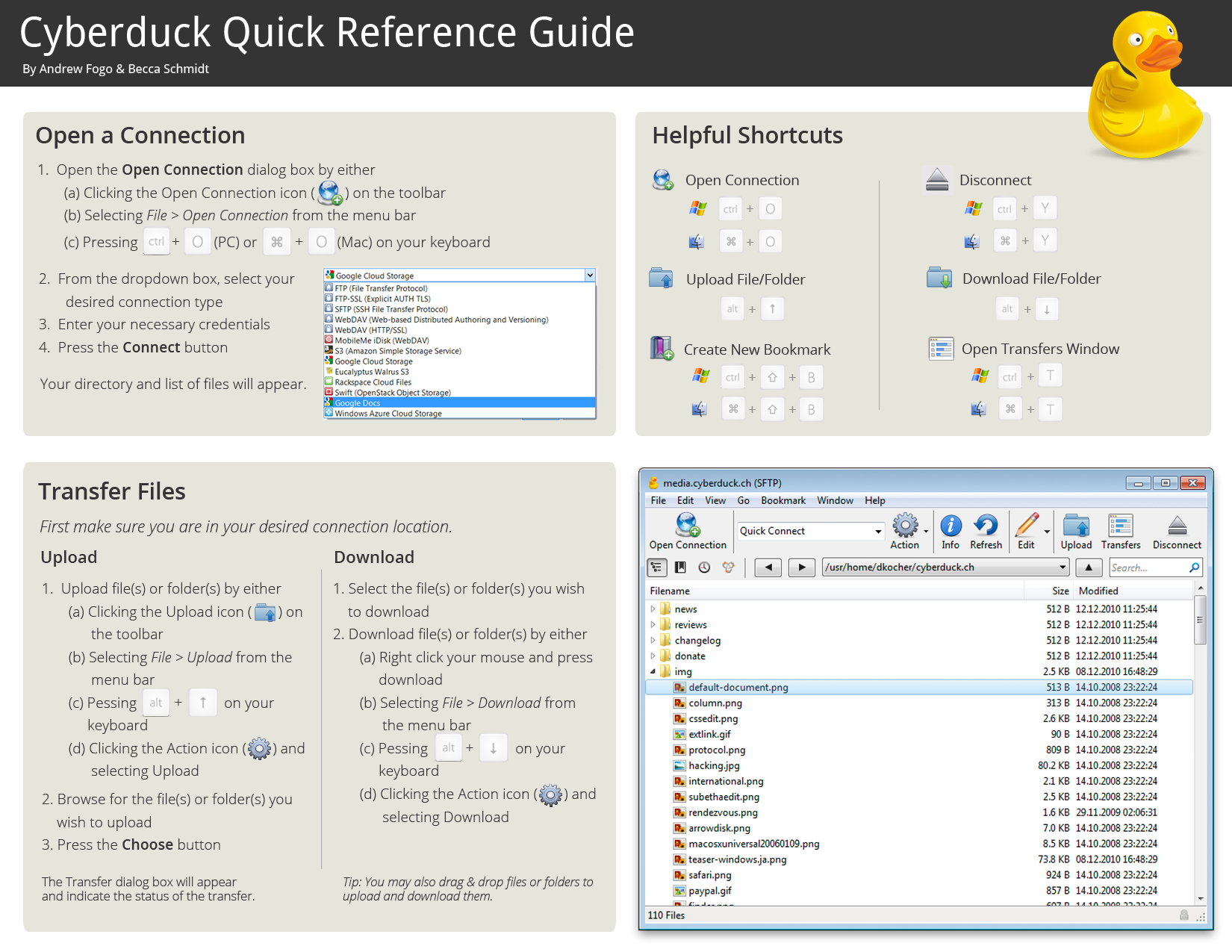
Opening Connections#
FTP, SFTP, WebDAV, OpenStack Swift, Google Storage, Amazon S3, and many more protocols are supported. There are several options to open a connection depending on the workflow.
Browser#
Browser remote files in a list or hierarchical outline view.
Info Window: Edit access permissions and configure CDN options
QuickLook: Preview files in the browser window
Open Web URL: Configuration steps to open HTTP URL of selected file
Send custom commands: Send commands to a server not available in the graphical user interface.
Activity: The activity window shows a list of all pending background tasks.
Edit Files#
Editing files on the server using an external editor.
Bookmarks#
Create and edit bookmarks for your favorite servers.
Spotlight support for bookmark files
File Transfers#
General information about transfers.
Download files and folders to your computer.
Upload files and folders to a server.
Synchronize folders between your computer and a server.
Copy files and folders between servers.
Cryptomator#
Support for client-side encryption with Cryptomator interoperable vaults.
Notifications#
Notifications configuration
Preferences#
Settings available in the Preferences window.