
Azure Blob Storage#
Massively scalable object storage for unstructured data
Connecting to Azure Blob Storage#
Hostname#
Edit the hostname to connect to your account in the format <account>.blob.core.windows.net.
Warning
Azure Files Storage is not supported.
Credentials#
Account and Key#
Obtain the login credentials Storage Account Name and Primary Access Key from portal.azure.com. You can find the keys in the section Access keys.
Cyberduck CLI#
You can list all containers with Cyberduck CLI using
duck --username <storageaccount> --list azure://<storageaccount>.blob.core.windows.net/`
For a storage account named kahy9boj3eib that would be
duck --username kahy9boj3eib --list azure://kahy9boj3eib.blob.core.windows.net/
Refer to the Cyberduck CLI documentation for more operations.
Access Control (ACL)#
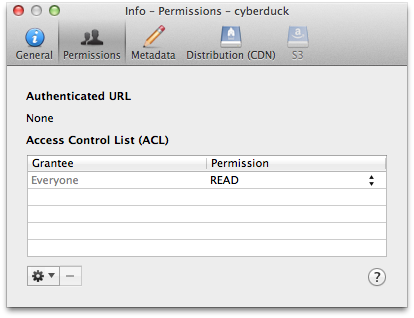
You can edit ACLs in File → Info (macOS ⌘I Windows Alt+Return) → Permissions. To make objects in a container publicly accessible, choose Everyone → READ. Note that this applies to all files in a container.
Containers#
To create a new container in your account, browse to the root and choose File → New Folder… (macOS ⇧⌘N Windows Ctrl+Shift+N).
Blob Type#
Uploads are stored as append blob type by default. You can use the hidden configuration option azure.upload.blobtype which allows the values BLOCK_BLOB, PAGE_BLOB and APPEND_BLOB.
Metadata#
You can edit standard custom metadata. Choose File → Info → Metadata to edit custom headers.
Default Metadata#
Currently only possible using a hidden configuration option you can define default headers to be added for uploads. Multiple headers must be separated using a whitespace delimiter. Key and value of a header are separated with =. For example, if you want to add an HTTP header for Cache-Control and one named Creator you would set
azure.metadata.default="Cache-Control=public,max-age=86400 Creator=Cyberduck"
Shared Access Signature URLs#
A private object stored in Azure Storage can be made publicly available for a limited time using a signed URL. The signed URL can be used by anyone to download the object, yet it includes a date and time after which the URL will no longer work. Copy the signed URL from Edit → Copy URL→ Signed URL.

Note
Currently only signed URLs with a validity of 24 hours are available.
Access Logs#
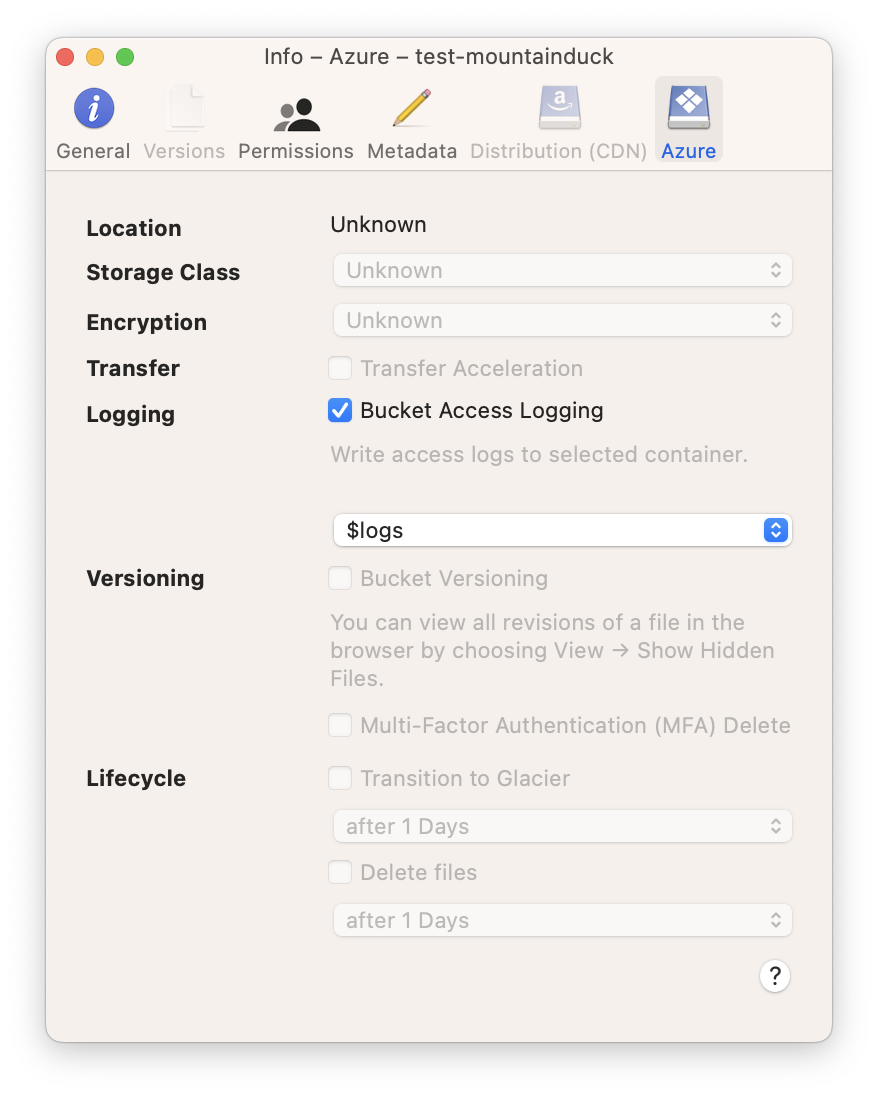
Configure access logging for buckets in the Info panel.
Limitations#
Container and blob naming conventions.
CDN configuration is currently only possible using the web interface.
Problems#
One of the Request Inputs is out of Range#
Please follow the Naming and Referencing Containers, Blobs, and Metadata guidelines.